Mouse-to-controller emulator: turn your mouse into a gamepad
A mouse-to-controller emulator is software that makes Windows report your mouse and keyboard as a virtual gamepad — so games apply controller logic, menus and aim assist to your K&M aim. Inputize is that emulator, built with a full stick-shaping engine instead of raw passthrough.
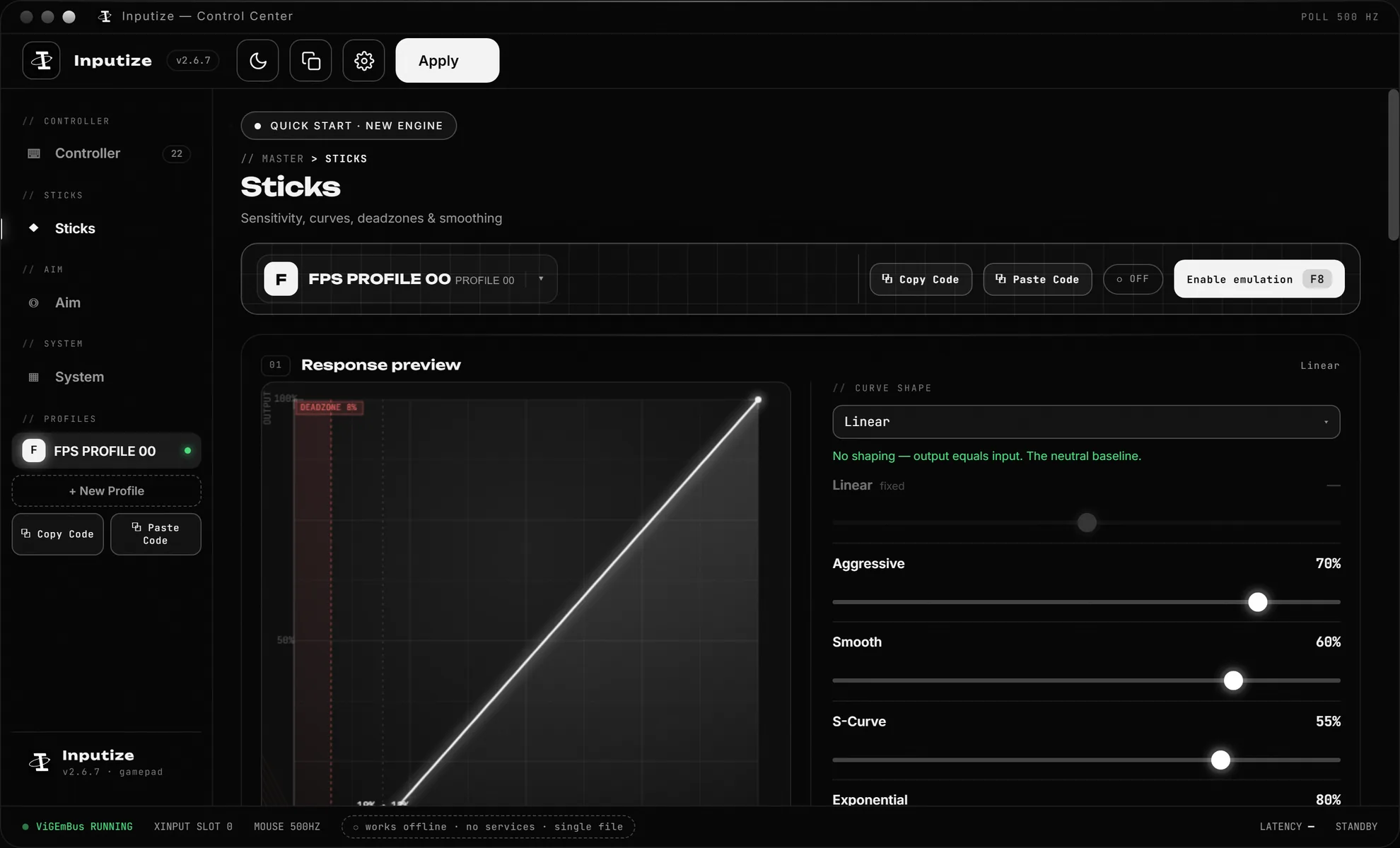
What a mouse-to-controller emulator actually does
Two layers: presentation and shaping.
The first layer is presentation. A virtual driver (ViGEmBus on Windows) creates a virtual Xbox 360 controller. Inputize feeds your mouse movement and key presses into that pad, so any game — and Windows itself — sees a genuine gamepad. Games that gate features or aim assist behind controller input then unlock them for your mouse.
The second layer is what separates emulators. A cheap emulator passes raw mouse deltas straight to the stick, which feels wrong: sticks are absolute, mice are relative, and raw translation makes fine aiming impossible. Inputize shapes the signal first — response curves map mouse speed to stick deflection, deadzone cleans up drift, circularity fixes diagonal movement, and per-game profiles keep each title's tuning separate.
How it works
What actually happens between your mouse and the game.
Mouse becomes a stick
Inputize routes your mouse through a virtual Xbox 360 controller, so the game sees analog stick input instead of raw mouse axes.
Aim assist engages
Because the input arrives as a controller, the game's built-in aim assist applies to your aiming — and Inputize's engine shapes the stick so it engages smoothly.
Shaped, not raw
Response curves, deadzone and circularity control how mouse speed maps to stick deflection — the layer that decides tracking feel.
Per-game profiles
Each game keeps its own curve, sensitivity and hotkey set. Switch by pressing F8 and play.
Emulator versus adapter versus remapper
A quick lens on the three families of tools.
| Approach | How it works | Stick shaping | Cost |
|---|---|---|---|
| Hardware adapter (XIM, Cronus) | Translates input between a console pad port and the game | Minimal or none | $100+ per device, cables and console required |
| Software remapper (reWASD) | Rebinds buttons and keys | Not its focus — no analog curve engine for mouse | $9.99 Basic / $39.99 All-In, one-time |
| Inputize | Software emulator: real virtual Xbox 360 pad from K&M | Dedicated — curves, deadzone, circularity, anti-recoil, auto ping, YY spam, humanized stick ramps | €19.99 once, lifetime |
The honest part
What this category of tool is — and is not.
A mouse-to-controller emulator does not read game memory, inject code or automate decisions. It converts input. Some games permit input conversion, some games' rules restrict it, and the classification differs per title and per tournament — so the responsible principle is: know the rules of the game you play, and use the tool accordingly.
Inputize is software only: nothing to buy or plug in beyond the license, a one-click virtual driver on first run, and no files left in the game folder. If you already own a hardware adapter, compare the tuning surface — Inputize exposes the curve graph live while you drag, per-game profiles, and hotkey activation that hardware does not offer.
Questions
The questions people ask before buying an emulator.
What does a mouse-to-controller emulator do?
It makes Windows report your mouse and keyboard as a virtual gamepad (Inputize uses a virtual Xbox 360 controller through the ViGEmBus driver). Games that apply aim assist to controller input then apply it to your mouse aim, and games that forbid raw mouse in menus still receive a pad.
Is a mouse-to-controller emulator a cheat?
It is an input converter — the same category as a XIM or Cronus, but software-only and on PC. It does not read game memory, inject code or modify files. Whether it is permitted is up to each game's rules; the honest advice is to check the terms and use responsibly.
How is Inputize different from reWASD?
reWASD is a remapper: it rebinds buttons and keys. Inputize is built the other way — mouse in, shaped analog stick out — with response curves, deadzone and circularity, anti-recoil and ADS orbital aim assist. For the 'mouse with controller aim assist' use case Inputize is the one purpose-built for it.
Is Inputize a hardware dongle?
No — nothing to buy or plug in. It is a Windows app plus a virtual driver installed with one click on first run. No extra cables, no adapter, no console.
Which Windows versions are supported?
Windows 10 and Windows 11, both 64-bit. The virtual controller appears in Windows' game controller list after activation.
Can I use it with any game?
Any Windows game that accepts Xbox 360 controller input. Games that ignore controllers entirely are out of scope. Per-game profiles remember which curve, sensitivity and hotkeys each title uses.
Do I need a subscription?
No — €19.99 once, lifetime license, all updates included. Digital product, delivered instantly: all sales are final and the license is non-refundable, an unused key included.
Does it work alongside a real controller?
Yes — you can even pick which physical input device Inputize listens to, so bringing a second mouse or a touchpad into the picture won''t hijack your aim. The virtual pad is a separate Windows device.
One payment. Lifetime license.
Virtual controller with aim assist, anti-recoil, response curves, auto ping and YY spam — €19.99 once, updates free forever.
Buy Inputize — €19.99