Mouse aim assist Fortnite: how to get it with a virtual controller
On PC, Fortnite applies aim assist to controller input — and gives nothing to a raw mouse. Inputize converts your mouse and keyboard into a virtual Xbox 360 controller, so the game treats your aim as controller input and its aim-assist values finally apply to your mouse.
Does mouse get aim assist in Fortnite?
The short answer, and the mechanics behind it.
Fortnite decides aim assist at the input layer. A controller plugged in or emulated receives the assist values; a raw mouse receives none — Fortnite has no mouse aim assist on PC by design. So if you play with a mouse and want aim assist, the input must reach the game as a controller.
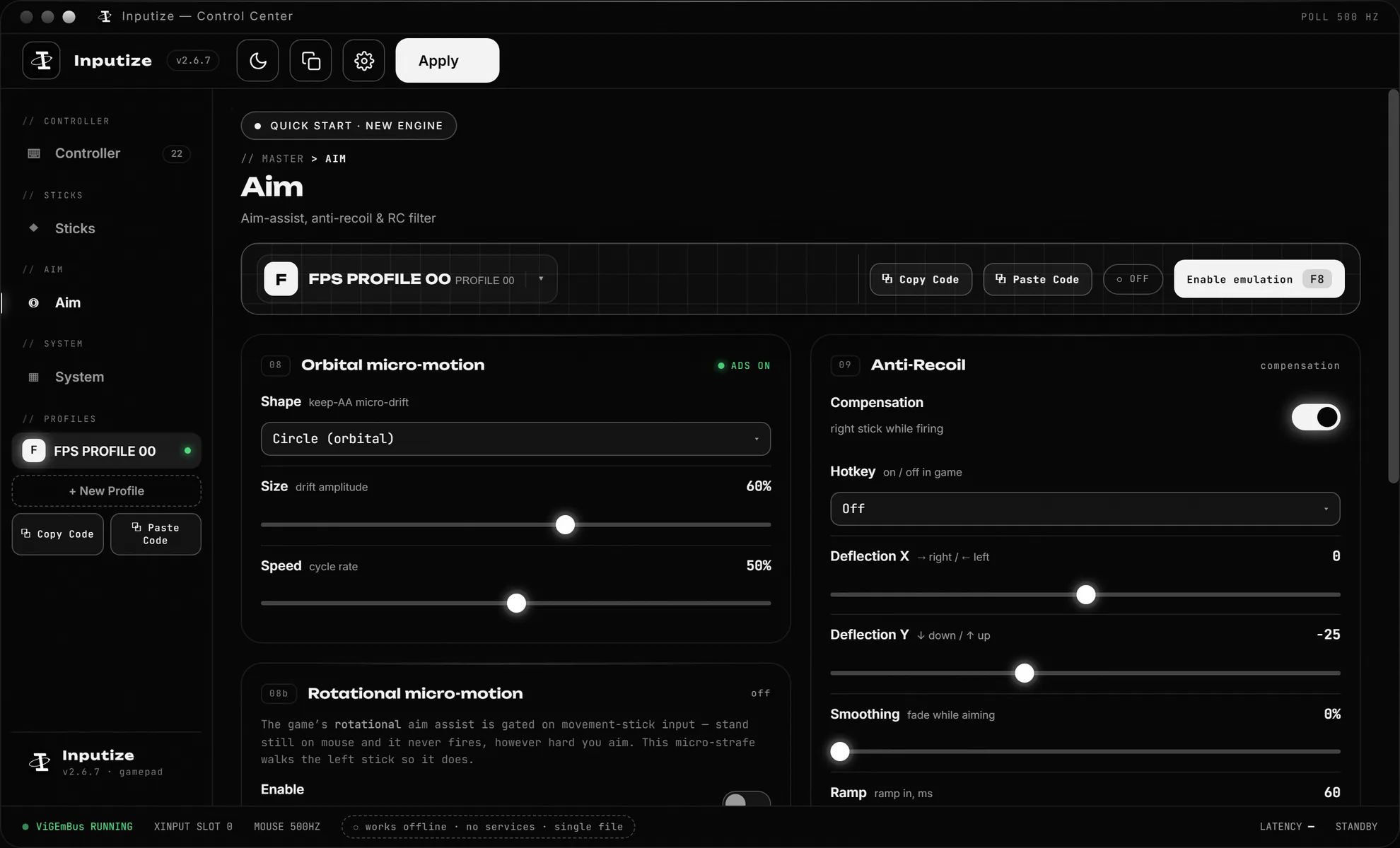
That is precisely what Inputize does: your mouse movement is converted into analog stick deflection of a virtual Xbox 360 controller installed through the ViGEmBus driver. The game sees a pad, labels your input as controller, and its built-in aim assist starts applying to your aiming — while your hand stays on the mouse.
It is not an external script and it does not run inside the game. The conversion happens in Windows before the game ever reads the input, the same way a hardware adapter would — only software, free of extra cables, and with full tuning control.
How it works
What actually happens between your mouse and the game.
Mouse becomes a stick
Inputize routes your mouse through a virtual Xbox 360 controller, so the game sees analog stick input instead of raw mouse axes.
Aim assist engages
Because the input arrives as a controller, the game's built-in aim assist applies to your aiming — and Inputize's engine shapes the stick so it engages smoothly.
Shaped, not raw
Response curves, deadzone and circularity control how mouse speed maps to stick deflection — the layer that decides tracking feel.
Per-game profiles
Each game keeps its own curve, sensitivity and hotkey set. Switch by pressing F8 and play.
Setting it up for Fortnite
Four steps, about two minutes.
Run Inputize and confirm the virtual driver with one click on first launch, then press F8 to activate — the overlay and a tray icon confirm the pad is live.
In Fortnite, enable controller input support in settings if prompted, and restart the game once if you activated the pad after it was already running — some titles only pick up gamepads present at launch.
The defaults are linear — aim assist engages immediately. Tune the response curve, deadzone or circularity in the response-preview screen and watch the input-to-output graph change live, and save the results to the Fortnite profile so they load the moment this game window is focused.
The honest part
What Inputize does — and what it does not.
Inputize reads no game files, attaches to no process and holds no cheats — it is an input converter. Whether Fortnite's policy accepts aim-assist-enabling tools is decided by Epic, and any honest tool developer will tell you the same: check the rules and use responsibly.
Compatibility depends on Fortnite accepting Xbox 360 controller input on your Windows version — on a supported build the virtual pad appears in the game controller list like any other pad, and aim assist behaves like native controller aim assist, strengths included.
Questions
Short answers to what people ask most.
Does mouse get aim assist in Fortnite on PC?
Fortnite's built-in aim assist is tied to the input device: a controller gets it, a raw mouse does not. Inputize makes your mouse arrive as a virtual controller, so the game applies its controller aim-assist values to your mouse aiming. Inputize does not inject anything into the game — it works at the system input layer before the game sees anything.
Is Inputize a macro or a game hack?
Neither. It is a virtual gamepad driver stack (ViGEmBus) plus a conversion engine. It does not read or modify game files, does not attach to processes and does not run inside the game. It only changes what Windows reports your mouse as — the same way a real gamepad adapter would.
Will Inputize get my Epic account banned?
That is decided by the publisher's policies, not by us — and honestly, no tool of this category can promise otherwise. What can be said: Inputize touches no game files or processes, uses a signed virtual driver, and we ask everyone to use it responsibly and check the game's rules before using any input tool.
Which settings should I use with Inputize?
Set the game to controller input support. Aim sensitivity is handled by the position of the mouse since it is emulated as a stick; the rest is mostly personal taste — the app defaults to a linear response so aim assist engages immediately, and you can tune curves afterwards.
Does it work in aim assist modes / creative / tournaments?
If the build runs on Windows and accepts controller input, the virtual controller is seen like any other controller. Whether a specific tournament allows aim-assist-enabling tools is a decision you make — check the rules first. Use responsibly.
Does it work through the Xbox app on PC (Remote Play / Game Pass)?
Yes — the Xbox app on Windows reads any standard XInput controller, and Inputize's virtual pad is exactly that, so it works both in Remote Play streaming from your console and in Fortnite or Game Pass titles launched through the app. It also runs alongside a real controller: move the mouse and the app picks up the virtual pad, pick up the controller and it takes over.
Is there a subscription to use aim assist on mouse?
No. Inputize is €19.99 once, lifetime license, all updates included. No monthly fee and nothing to renew — it is not reWASD.
What if it does not work in my match?
Before a match: run Inputize, confirm the driver with one click, press F8 and check the overlay shows active. Most 'not working' reports are the driver not being installed or the game being launched before the virtual pad was active.
One payment. Lifetime license.
Virtual controller with aim assist, anti-recoil and response curves — €19.99 once, updates free forever.
Buy Inputize — €19.99