Inputize vs JoyToKey & AntiMicroX: the free tools, compared honestly
These are the two names that come up when you search for a free way to use a mouse as a controller. Both are good utilities. Neither can do the job you are searching for — and the reason why is worth four minutes of reading before you spend an evening configuring something that cannot work.
The short answer
The comparison everyone actually needs, before any feature table.
JoyToKey is the reverse of what you want: it takes input from a gamepad and converts it into keyboard and mouse events. AntiMicroX maps keyboard and mouse — to more keyboard and mouse events. Neither of them creates a virtual controller, and controller aim assist is granted by the game when it sees a controller. No virtual pad, no assist. That is not a configuration problem; it is what these tools are.
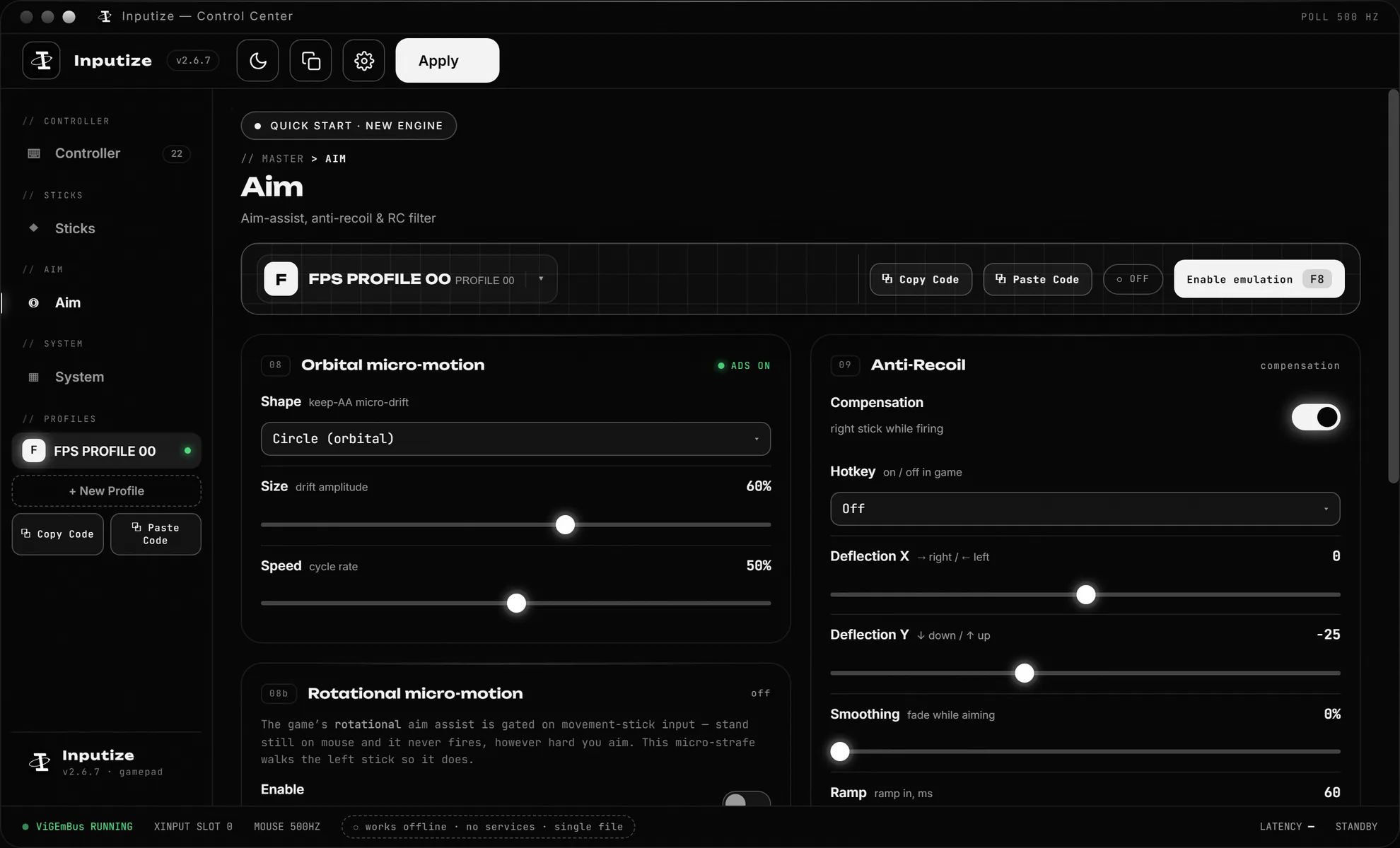
Inputize runs on the ViGEmBus driver — the same Microsoft-signed driver as DS4Windows and Parsec — and presents your keyboard and mouse to the game as a real Xbox 360 controller, with the analog shaping layer (curves, deadzone, anti-recoil, humanized SAB ramps) that decides whether the game's assist engages smoothly. The free tools stop at "keypress in, keypress out".
Quick comparison
Pricing and features are from public sources as of 2026 and can change.
| Inputize | JoyToKey | AntiMicroX | |
|---|---|---|---|
| Price | €19.99 once, lifetime license | Free to use (shareware), license optional | Free, open source (GPL v3) |
| Creates a virtual controller | ✓ Xbox 360 via ViGEmBus | ✗ converts pad → keyboard/mouse | ✗ maps K&M → keyboard/mouse events |
| Mouse → analog stick with aim assist | ✓ core purpose | ✗ mouse emulation is pixel jumps | ✗ mapping only, no virtual pad |
| Response curves, deadzone & circularity | ✓ live preview graph | ✗ | Basic response curve per axis |
| SAB humanized stick signal | ✓ | ✗ | ✗ |
| Anti-recoil on fire (per-weapon tuning) | ✓ | Via macros only | Via macros only |
| Orbital ADS aim assist | ✓ | ✗ | ✗ |
| Macros | ✓ Normal/Hold/Turbo/Double/Toggle/Combo | ✓ mature, per-button | ✓ |
| Gamepad → keyboard/mouse (the reverse job) | ✗ | ✓ the core competence | ✓ |
| Per-game profiles + auto-switch | ✓ incl. per-game auto-detect | ✓ per-app associations | ✓ auto profiles by window |
| Platform | Windows | Windows | Windows & Linux |
| Project status (2026) | Actively developed | Actively maintained (v7.3.x) | Seeking a maintainer, limited support |
| Reads or modifies game files / processes | Never | No | No |
JoyToKey and AntiMicroX are products of their respective authors; this page is an independent comparison, not affiliated with any vendor. AntiMicroX's own repository states it is currently looking for a new maintainer.
The honest part: what the free tools are genuinely good at
A comparison that only lists one side is marketing, not advice.
JoyToKey has been around for two decades and is excellent at its actual job: making a physical gamepad act as a keyboard and mouse — hotkeys, macros, per-application profiles, XInput vibration triggers. If your task is "I have a controller and a program with no gamepad support", JoyToKey is a fine, cheap answer.
AntiMicroX is the open-source take on the same job, and the only one of the three that runs on Linux. It is honest software with a real feature set; its main caveat is the one its own developers state — the project is looking for a new maintainer and support is limited.
If your job is remapping a gamepad to keyboard, stop reading — use one of them. This page is about the other direction: mouse and keyboard in, controller out, assist on.
Where the difference actually shows: aim assist with a mouse
Why "I'll just use a free mapper" does not survive contact with an actual shooter.
Games grant controller aim assist when they detect a controller — not when inputs look like controller inputs. JoyToKey and AntiMicroX emit keyboard and mouse events; the game never sees a gamepad, so the assist layer never engages. There is no setting to change this; the virtual controller simply is not there.
Even the free attempts to fake it run into the analog problem. Firing mouse events at a game with native mouse input gives pixel jumps, not stick motion — no curve between flicks and tracking, no deadzone handling, no circularity, and nothing to shape the signal while you fire. Inputize's whole design is that layer: response curves with a live input-to-output preview, anti-recoil tuned per weapon, orbital ADS aim assist, and SAB human-paced ramps with per-gesture variance. Those are not mappings; they are signal-shaping features, and they are what the free mappers structurally cannot add.
Ban risk: a genuinely different picture from paid virtual-pad tools
The one axis where "free" and "safe" point in opposite directions from what you'd expect.
Ironically, JoyToKey and AntiMicroX are nearly invisible to anti-cheat in games — precisely because they cannot fake a controller. A game has no reason to care that a keypress arrived. The ban-risk discussion in this category belongs to virtual-controller tools, and there the picture is the mainstream one: the shared ViGEmBus driver is the same one DS4Windows and Parsec use, so flagging it would break mainstream applications.
That tolerance is not immunity — The Finals is the one title that restricts the category by policy: its 1.4.1 line ends aim assist for key re-mapping clients on PC. If your end goal is aim assist in a shooter, you will end up in the virtual-controller category either way; the question is whether you get there with a tool built for it. Full per-game breakdown: Is Inputize safe? →
Pricing, five years out
Where the free tools win — and where the comparison stops being about money.
On price the free tools win outright: $0 versus €19.99 once. Nobody should pretend otherwise. The decision only becomes real when the job is specified: if the job is keyboard and mouse converted into a shaped analog stick with working aim assist, the free tools are not a cheaper version of that job — they are a different job. Paying €19.99 once for a tool that does the job beats spending evenings on a mapper that structurally cannot.
To be fair in the other direction: if you just want controller-to-keyboard remapping, take JoyToKey or AntiMicroX and enjoy them. Inputize does not do that job, and this page will not pretend it does.
The verdict
Who should use which.
Stick with JoyToKey / AntiMicroX if…
Your job is remapping a physical gamepad to keyboard and mouse, hotkeys, or desktop macros. Both are good at it; AntiMicroX if you want open source and Linux, JoyToKey for a mature Windows utility.
Choose Inputize if…
You play keyboard & mouse and want controller aim assist in Warzone, Apex, Fortnite or similar — and a pad that still works in the titles that grant none, Rainbow Six Siege included — with curves, anti-recoil and per-game profiles handled by one tool that costs €19.99 once.
Try free first, realistically
If you want to test the virtual-controller idea for $0, the mapper-style ViGEm tools (XOutput and friends) can create a pad — but expect to hand-tune everything Inputize ships as engineered defaults. DS4Windows is also free but translates a real DualShock, not a mouse.
Questions
Short answers to what people ask most.
Can JoyToKey or AntiMicroX give a mouse controller aim assist?
No. Both are mapper utilities: JoyToKey translates gamepad input into keyboard and mouse events, and AntiMicroX maps keyboard and mouse to keyboard and mouse events — neither creates a virtual controller on ViGEmBus, which is what games detect before applying controller aim assist. Aim assist with a mouse needs a virtual gamepad plus stick shaping, which is the category Inputize is built for.
Is Inputize more expensive than JoyToKey or AntiMicroX?
Upfront, yes: Inputize is €19.99 once with a lifetime license and free updates. JoyToKey is shareware that stays usable without paying, and AntiMicroX is free and open source. The comparison is not really about price but capability — the free tools cannot output a virtual controller at all.
Do JoyToKey or AntiMicroX use the ViGEmBus driver?
No. Neither installs or uses ViGEmBus; both act on the host side, converting one input into keyboard and mouse events. ViGEmBus is what creates the virtual Xbox 360 controller that games and anti-cheat see as a real gamepad, and it is the mainstream driver shared with DS4Windows and Parsec.
What are JoyToKey and AntiMicroX good for?
The reverse job: making a physical gamepad act as a keyboard and mouse. JoyToKey is a mature Windows utility for exactly that, and AntiMicroX does the same, open source and cross-platform including Linux. For playing with a real controller where keyboard support is missing, they are fine tools.
Which free alternatives actually create a virtual controller?
The free options in this category run on the ViGEmBus driver: XOutput and similar mapper-style tools can create a virtual pad, though without a stick-shaping layer. DS4Windows creates one but is built to translate a real DualShock, not a mouse. If you want to try free first, start there — but expect to hand-tune what Inputize ships as engineered defaults.
One payment. Lifetime license.
Virtual controller with aim assist, anti-recoil and response curves — €19.99 once, updates free forever.
Buy Inputize — €19.99